

Overview
The carrier payables screen is your central hub for managing carrier invoices and payments.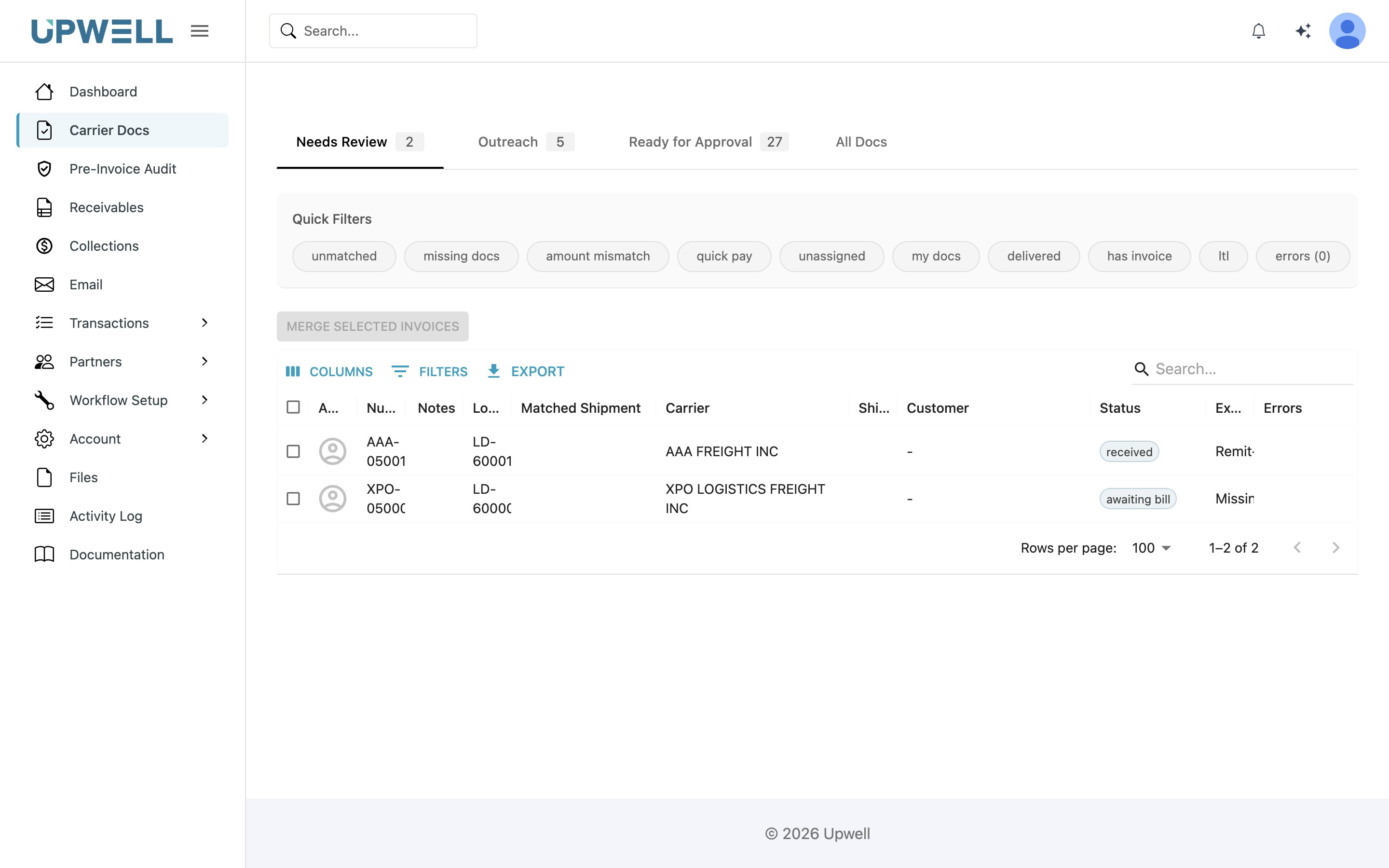
The Needs Review tab: carrier documents held by an open exception, each row naming the exception that stopped it.
Key Features
Invoice List View
Invoice List View
The main grid displays all carrier invoices with key information:
- Invoice number and date
- Carrier name
- Total amount
- Status — see Carrier invoice statuses for the full set of values and what each one means
- Match status with TMS shipments
Filtering and Search
Filtering and Search
Quickly find specific invoices using:
- Date range filters
- Carrier filters
- Status filters — the status picker offers the full carrier invoice status set
- Search by invoice number, BOL, or PRO number
- Advanced filtering options
Invoice Processing
Invoice Processing
Process invoices efficiently with these actions:
- View invoice details and attached documents
- Match invoices to shipments
- Review and approve exceptions
- Bulk approve validated invoices
- Export data for payment processing
Common Tasks
Reviewing newly received invoices
- Filter the list by status to focus on invoices still in review — most carrier invoices
start in
RECEIVED, though one created ahead of its document or its bill starts inAWAITING_INVOICEorAWAITING_BILLand promotes toRECEIVEDon its own - Review automatically matched shipments
- Verify rates and accessorials
- Approve or flag for exception handling
Handling Exceptions
1
Open the Needs Review tab
Needs Review is the queue of invoices held back by an open exception.
2
Select an invoice to review
Pick an invoice from the list to open its detail view.
3
Compare invoice details against TMS data
Check the invoice against the shipment and bill your TMS sent, so you can see exactly
where the two disagree.
4
Add notes or supporting documentation
Record what you found and attach any documents that back up the decision.
5
Resolve or escalate the exception
Clear the exception if the invoice is good to pay, or escalate it for further handling.
What each tab filters on
The tabs are not status filters. Each one is a composite condition, so you cannot reproduce a tab through the API by matching a single carrier invoice status — you have to reproduce the whole predicate. Needs Review and Ready for Approval both exclude terminal statuses, meaning invoices that need no further action:APPROVED, PAID, PART_PAID,
CANCELLED, REJECTED, REFUNDED, and DISPUTED.
Needs Review and Ready for Approval never show the same invoice at once — the
exception path requires an open exception where Ready for Approval requires none, and
the no-bill path requires a missing bill where Ready for Approval requires one.
Best Practices
Daily Review
Check new invoices daily to maintain consistent cash flow
Exception Management
Address exceptions promptly to prevent payment delays
Documentation
Always add notes for non-standard approvals
Regular Exports
Export approved invoices on a set schedule